
Skip to main content
How do I...?
ExamSoft: How Do I View Question Performance History?
Why this strategy matters
Reviewing question performance history allows faculty to make evidence-informed decisions about assessment quality over time. By identifying patterns in student performance, evaluating distractor effectiveness, and recognizing recurring areas of difficulty, instructors can improve individual questions, strengthen question banks, and better align assessments with intended learning outcomes.
Procedure
- Select the Questions menu at the top of the page.
- Select a question.
- Scroll to the bottom of the page, and then select History.
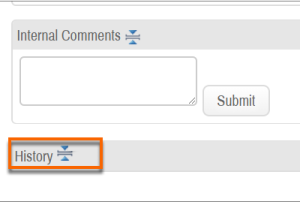
- The performance history provides numbers for correct answers, incorrect responses and not attempted based on each revision. The difficulty index and point biserial are displayed side by side.
- The assessment history provides the same information, but based on each assessment that the question was used on. In addition, you can see the Assessment ID and Assessment Name of each assessment that this question appeared on.
- The revision history logs the changes that have been made, as well as the number of times exam-takers have answered a revision. You can select the revision number to see the question content for that particular revision.
Need Extra Support?
We are here to partner with you as you enhance your courses. If you run into technical issues or want a collaborative consultation, please reach out to our team:
- Email: tlc@neco.edu
- Office Hours: View our current consultation schedule on the TLC website portal